Jigsaw Ransomware Analysis
I. Introduction
This write up was originally created for my MINFSEC presentation on cryptography. As part of the presentation, I demonstrated the ransomware in a live, isolated, and controlled environment. I later used the same analysis to demonstrate my detection engineering and malware analysis skills during my application for my current role.
I am sharing this analysis as a reference and guide for anyone researching the Jigsaw ransomware sample. While researching the sample myself, I found that there was limited publicly available documentation providing a thorough technical analysis, particularly of its encryption and decryption routines.
| Property | Value |
|---|---|
| Filename | jigsaw |
| SHA-256 | `3ae96f73d805e1d3995253db4d910300d8442ea603737a1428b613061e7f61e7 |
The sample is available through VirusTotal and GitHub. If you have trouble locating it, feel free to reach out.
This is a relatively old ransomware sample, dating back to around 2016. Given its age, it is unlikely to successfully infect a modern, fully patched system in the same way it originally did. In fact, attempting to download the sample today may already trigger warnings or blocks from modern browsers and security solutions.
However, the age of the sample is part of what makes it useful for analysis. We can use it as a practical exercise to understand how ransomware works and how its behavior can be identified.
This covers both static and dynamic analysis, it also touches on several skills that are useful in an incident responder’s toolkit (from behavioral investigation to identifying artifacts that can be translated into detection logic).
II. Finding Ransomware Samples
For safety reasons, ransomware samples are typically not available online to the public.
However, using the right query in google you can locate ransomware samples that are publicly available for research / analysis purposes.
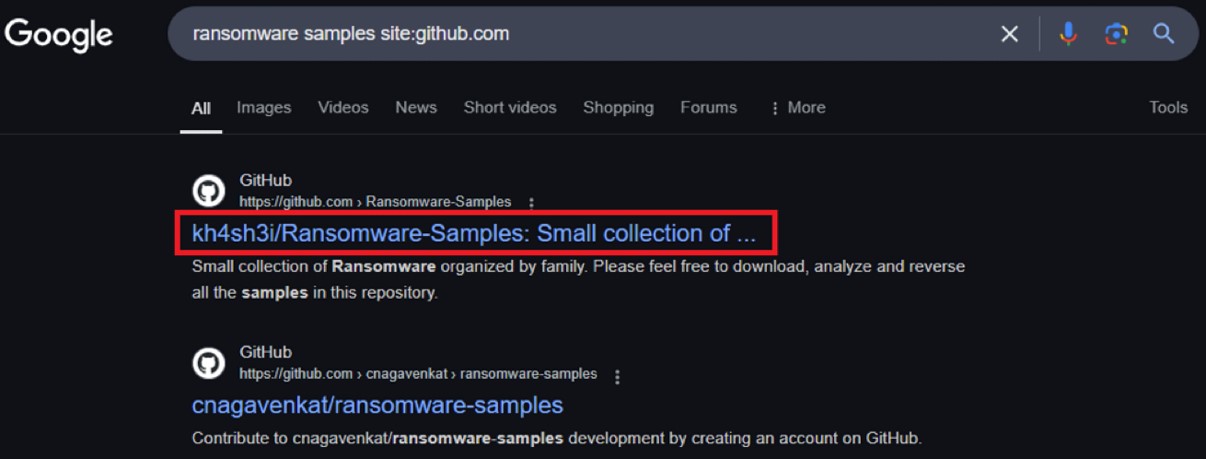
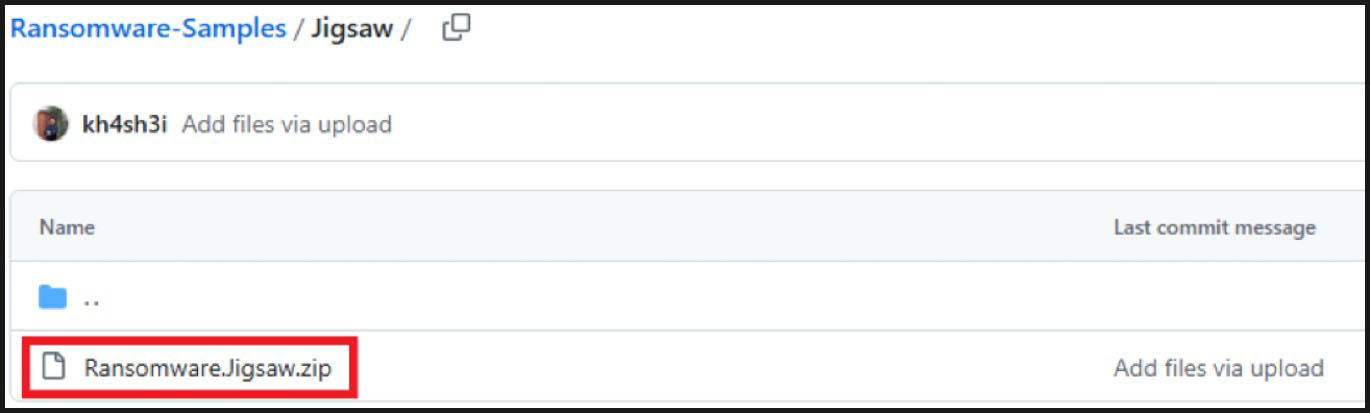
The sample will be analyzed using my infect home lab. Please do not attempt to extract this in a production machine.
III. Detection logic using Python
To create detection logic for the file itself, we need to examine the executable.
It appears to be a .NET file and is using a protector.
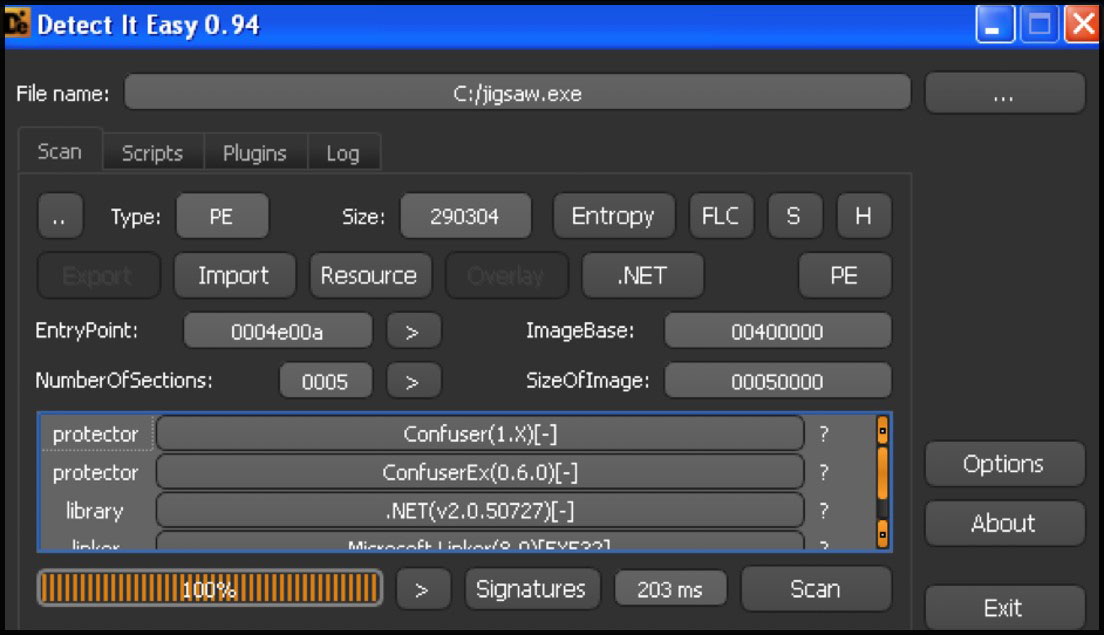
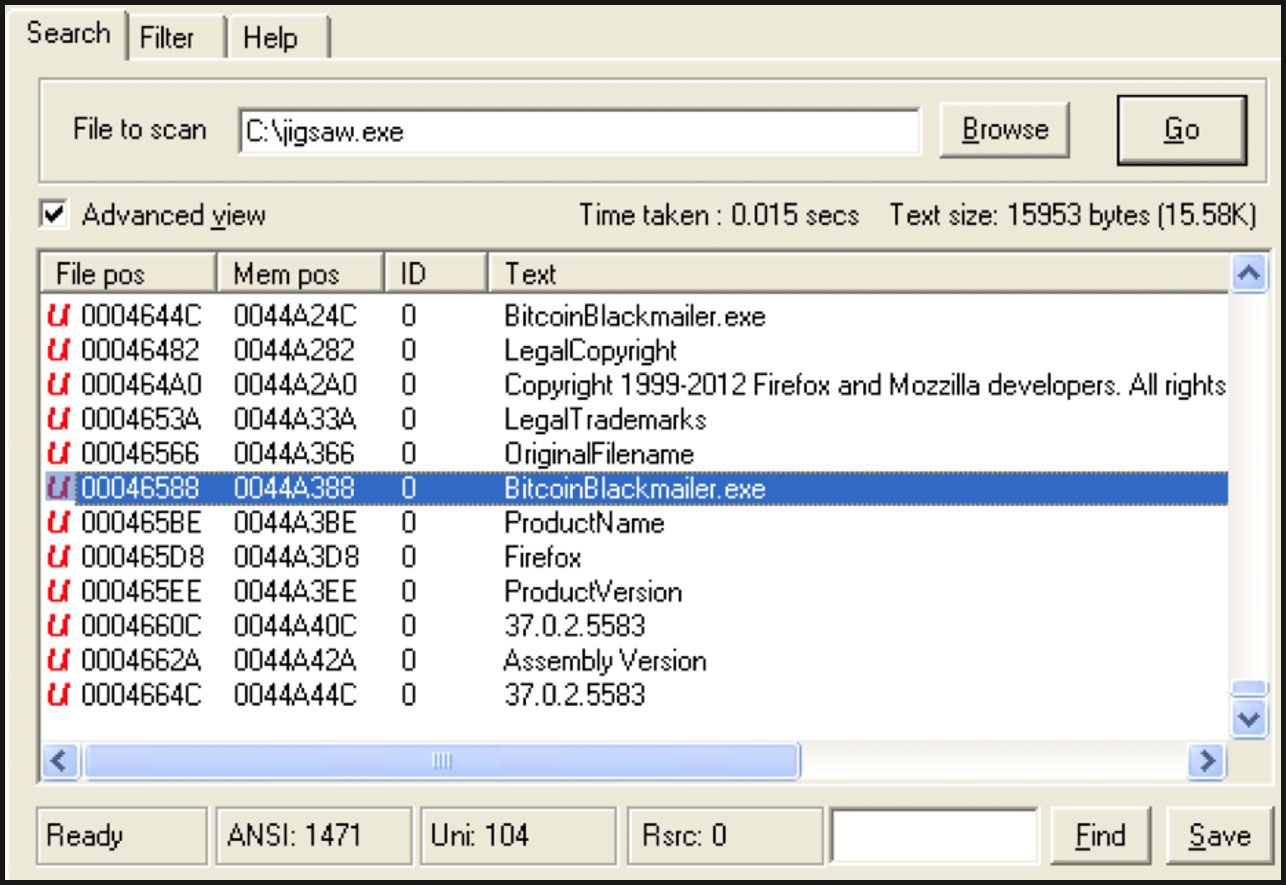
By checking the available strings in the file, we can see that the original name is still intact. This can be verified by viewing the file’s properties.
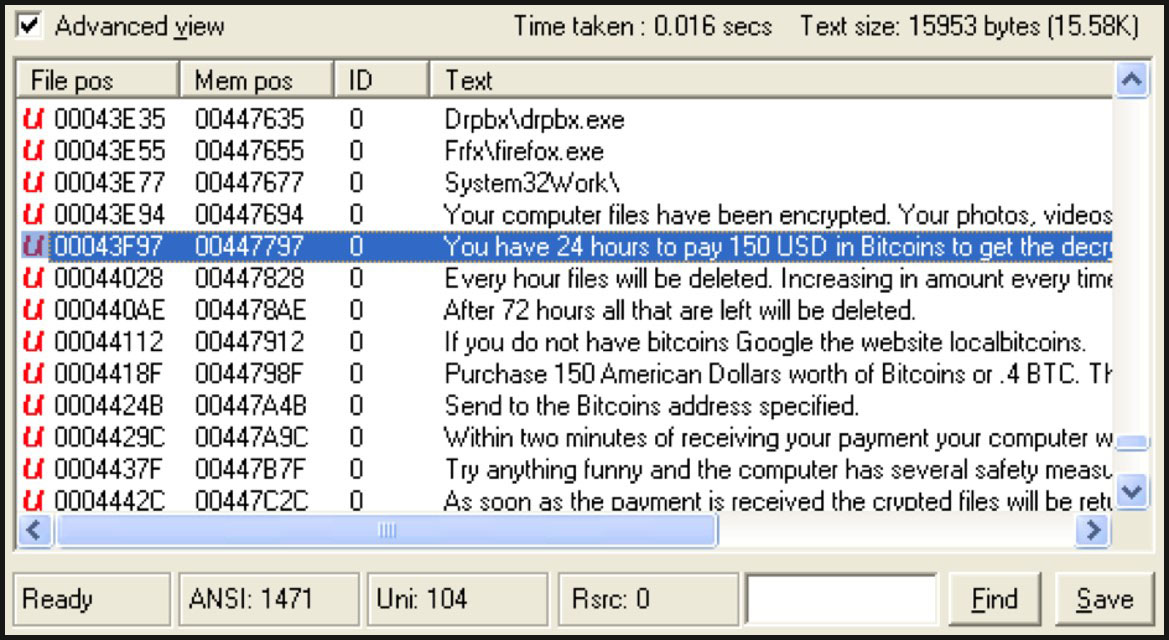
Part of the ransom note is also present. We can use both extracted strings to create a detector for the malicious files.
The script uses Python’s os module to traverse the directory with os.walk.
import os

string = [b"BitcoinBlackmailer.exe", b"You have 24 hours to pay 150 USD in Bitcoins to get the decryption key."]

for detect, _, fls in os.walk("."):
    for file in fls:
        try:
            data = open(os.path.join(detect, file), 'rb').read()
            if any(string in data for string in string):
                print(f"Malicious: {os.path.join(detect, file)}")
            else:
                print(f"Normal:    {os.path.join(detect, file)}")
        except: pass
For every file in the directory, it uses os.path.join to open them in binary mode ‘rb’ and read its contents.
It then checks if the strings are present in the file.
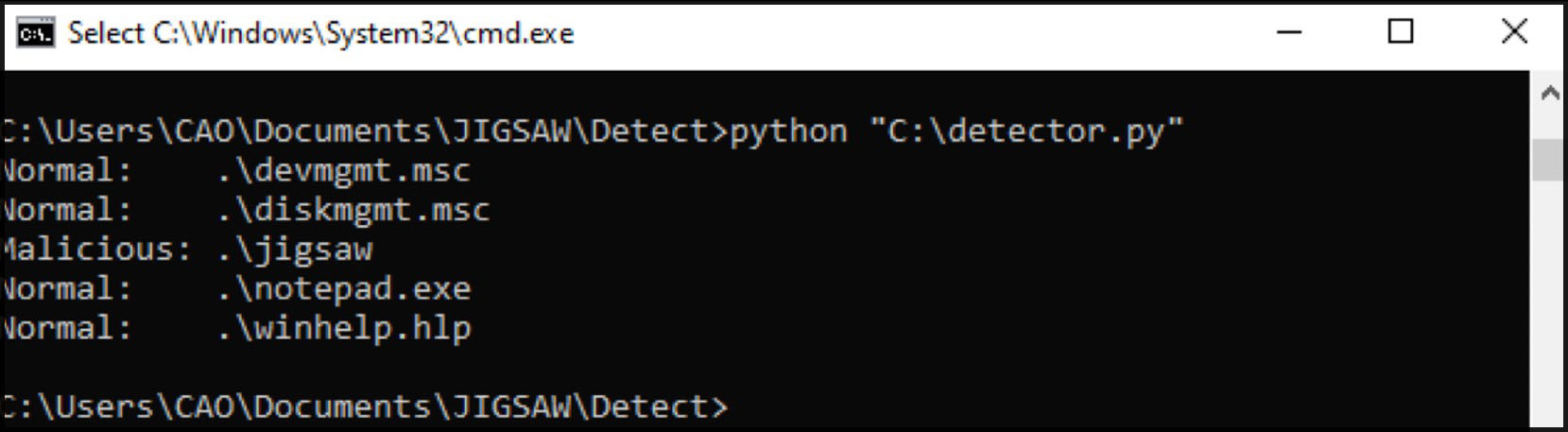
Running the script, it successfully detects the ransomware but ignores any normal files.
IV. Understanding the Encryption Routine & Creating a decryption tool using python
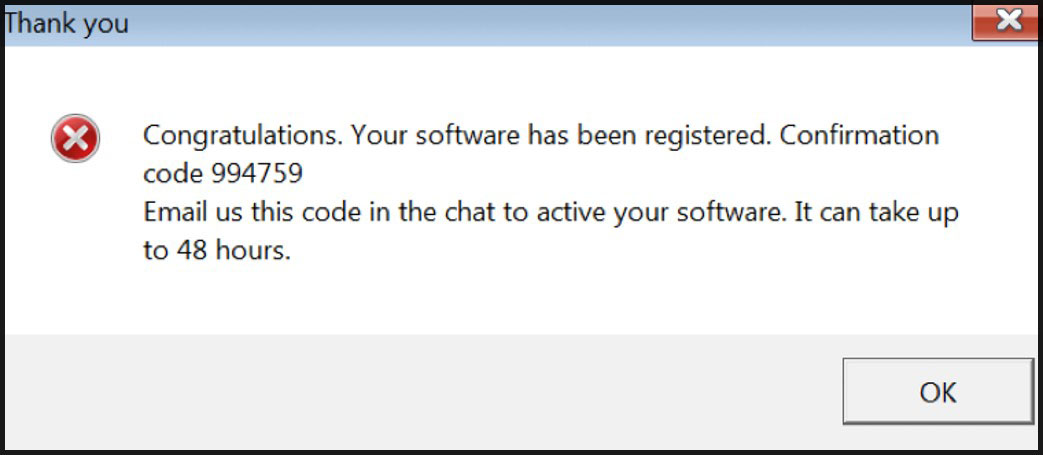
To understand the file’s encryption routine, we need to perform dynamic analysis. Upon execution, a pop up window appears suggesting that the ransomware may be bundled and disguised as a registration tool to activate a software.
Next, we will create a bait file to use later in validating our decryption tool.
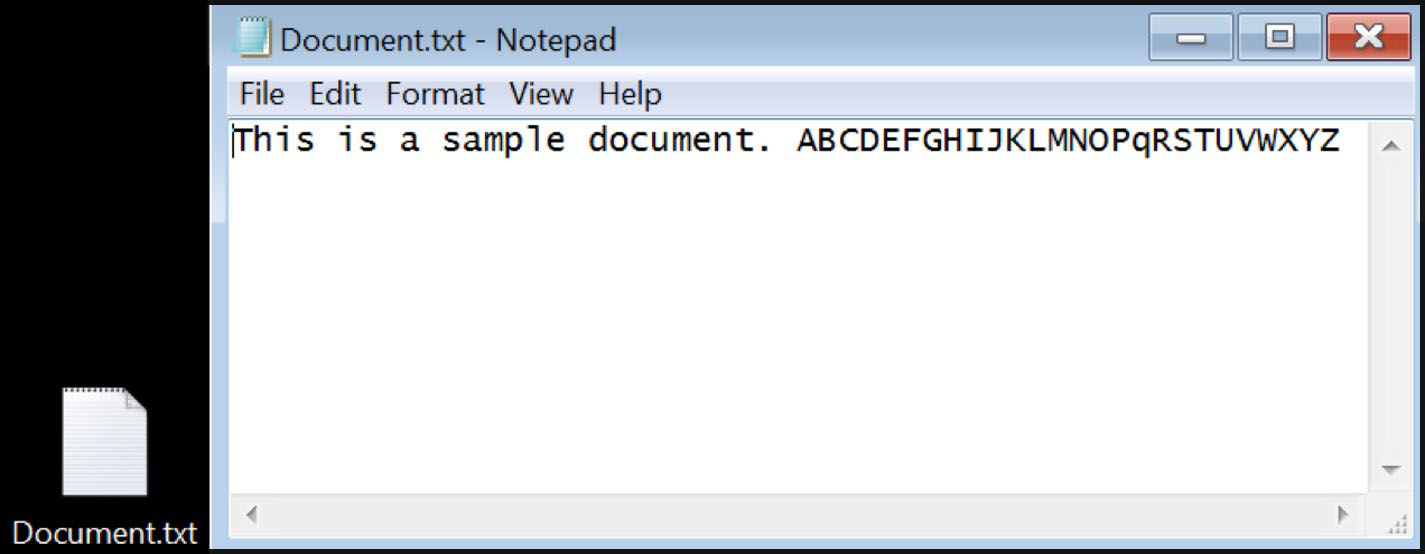
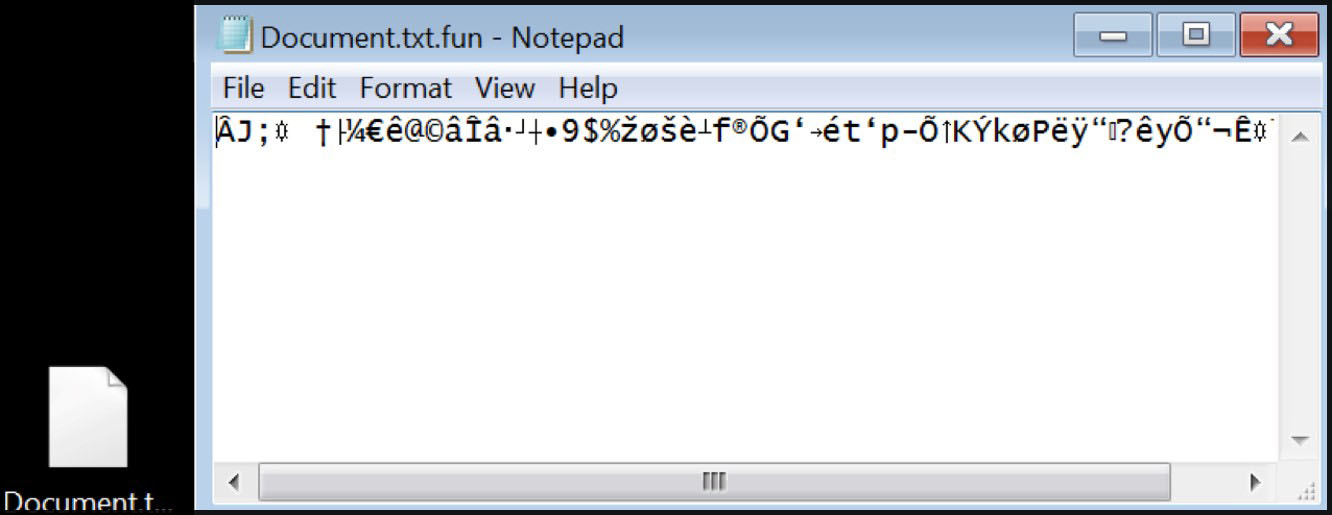
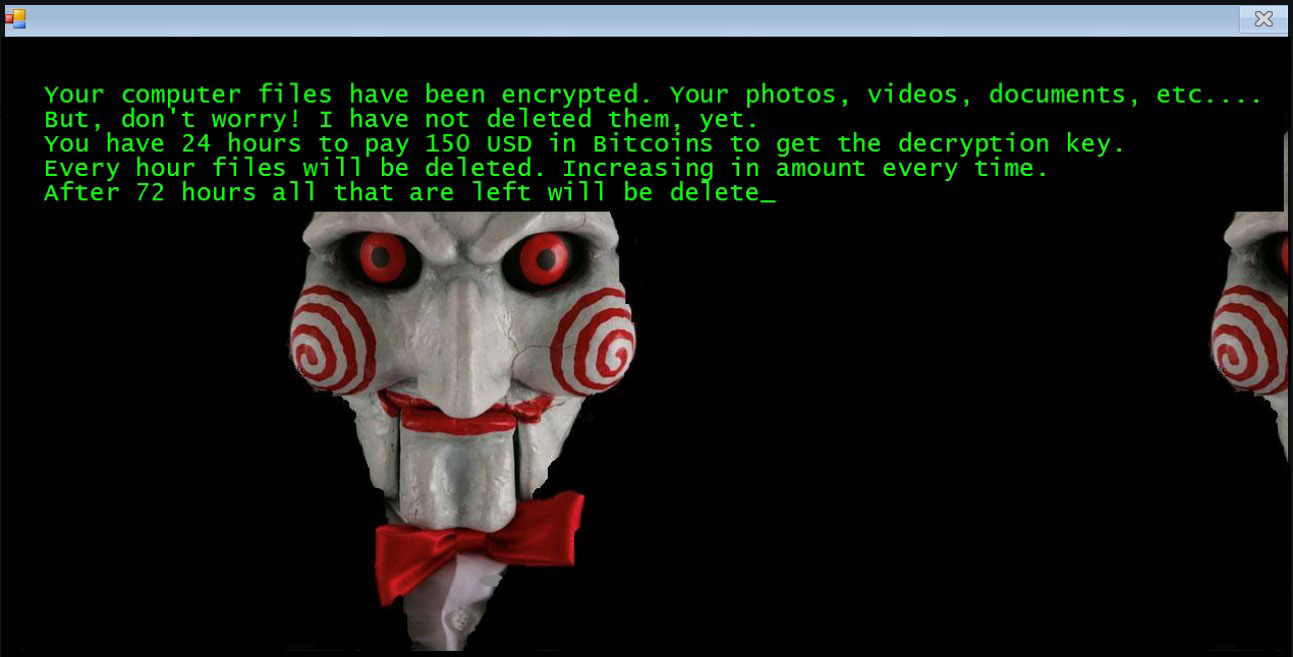
After executing the file, the bait file becomes encrypted and a ransom note appears instructing us to pay the attacker.
Because the ransomware is a .NET file (as determined during initial analysis), we can easily decompile it using a .NET decompiler. By examining the code, we were able to find the encryption password used by file.
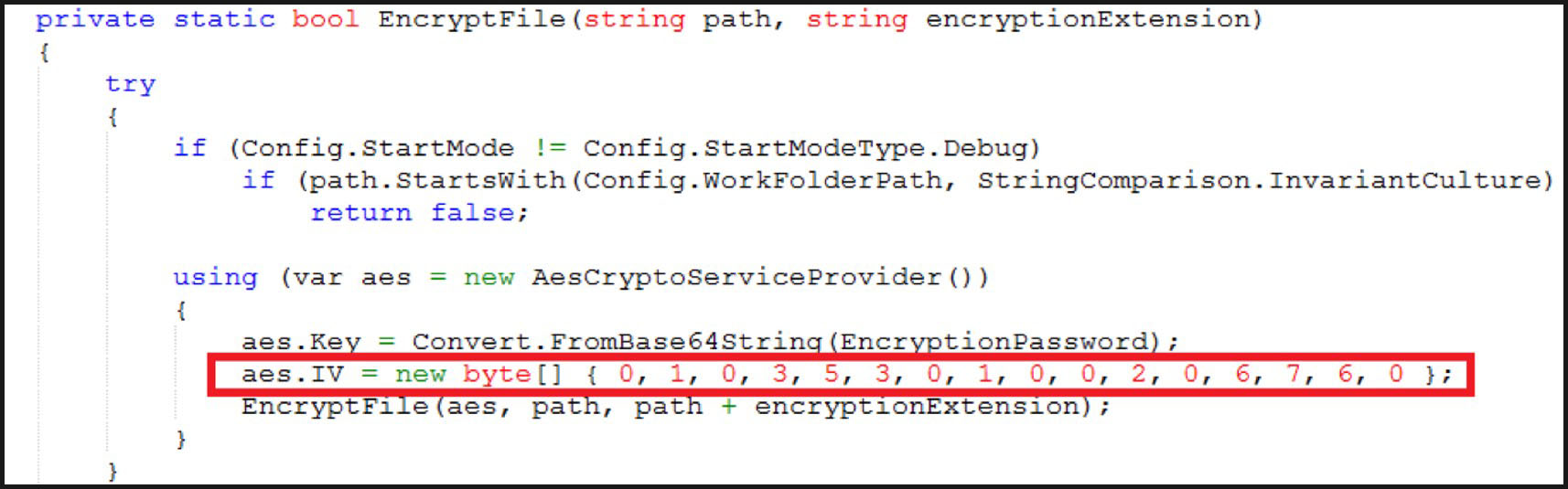
The whole encryption process is located within the “EncryptFile” function. The ransomware uses AES encryption with a hardcoded password and an IV. With this information, we can now proceed with creating a decryption script.
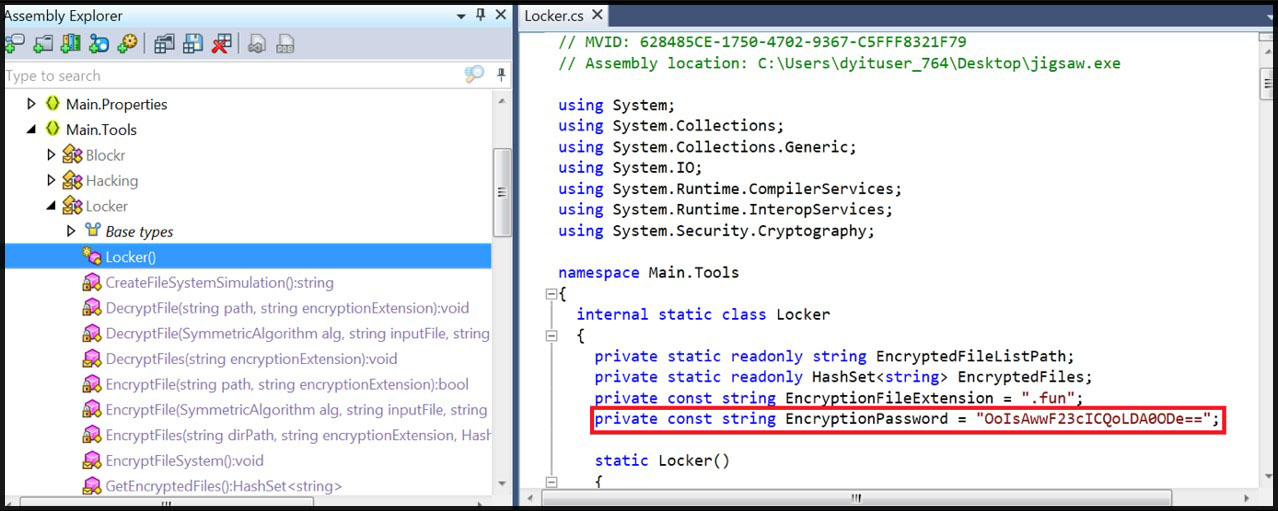
The Python script below performs AES decryption on the input file using crypto modules. It takes in a Base64 encoded encryption key and a hexadecimal IV. The script reads the encrypted file in binary mode, then uses the (decoded to binary) key and IV to create an AES cipher object. The encrypted content is then decrypted using the generated cipher and unpadded to output the original file.
from Crypto.Cipher import AES
from Crypto.Util.Padding import unpad
import base64
import binascii

def decrypt_aes(input_file, output_file, key_base64, iv_hex):
    key = base64.b64decode(key_base64)
    iv = binascii.unhexlify(iv_hex)
    with open(input_file, 'rb') as f:
        encrypted_data = f.read()
    cipher = AES.new(key, AES.MODE_CBC, iv)
    decrypted_data = unpad(cipher.decrypt(encrypted_data), AES.block_size)
    with open(output_file, 'wb') as f:
        f.write(decrypted_data)

    print(f"Decryption of '{output_file}' is complete.")

key_base64 = "OoIsAwwF23cICQoLDA0ODe=="
iv_hex = "00010003050300010000020006070600"
input_file = "Document.txt.fun"
output_file = "Decrypted.txt"

decrypt_aes(input_file, output_file, key_base64, iv_hex)
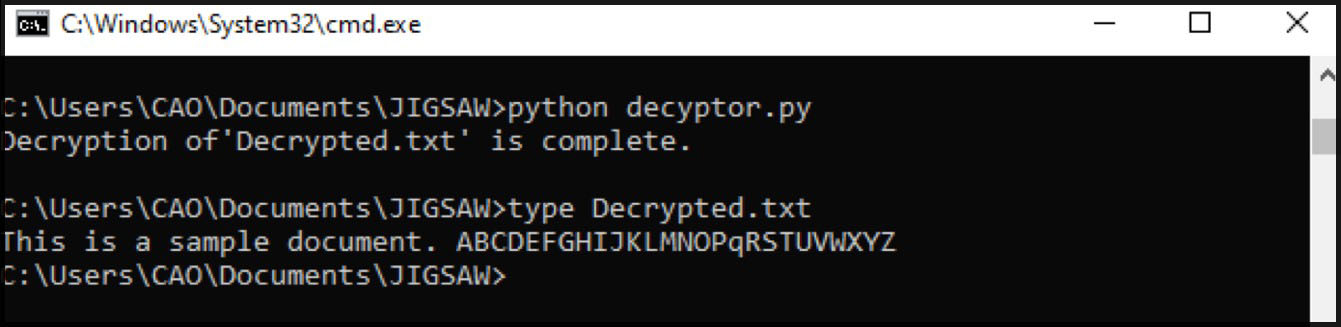
Running the script, it successfully decrypts the bait file to its original content.
V. Detection of Ransomware Behavior using KQL and SIEM
The file drops a copy of itself in %AppData% folder to ensure persistence and avoid detection. Then uses the modules Crypt32.dll, CryptBase.dll and CryptSP.dll all of which are used for cryptographic operations.
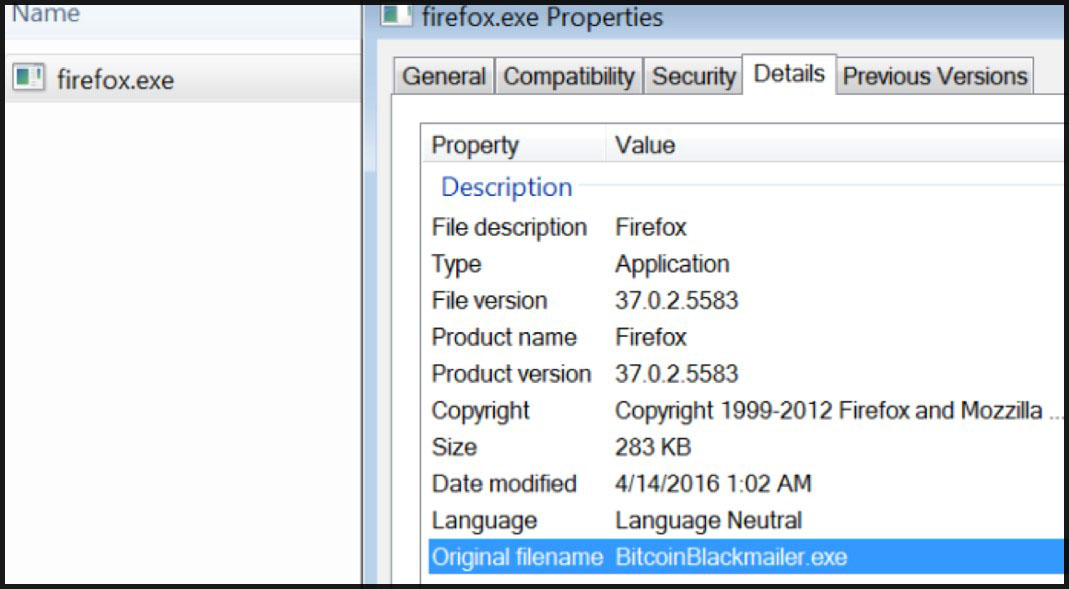
Converting this to KQL(Microsoft) will result to the query below.
DeviceProcessEvents
| where FolderPath contains "AppData"
| where FileName endswith ".exe"
| where InitiatingProcessVersionInfoOriginalFileName contains "BitcoinBlackmailer"
This query checks for any processes originating from the %AppData% folder with filenames ending in ‘.exe’. Since the malware often uses different filenames, we will use its original filename to help validate whether the file is malicious.
FilePath = "*AppData*"
| FileName = "*.exe"
| OriginalFilename = "BitcoinBlackmailer.exe"
The query can also be converted and performed in CrowdStrike using its advanced threat hunting feature. Additional parameters, such as the C2 server it connects to or the registry keys it creates, can be added. However, since the original file name is unique to this type of ransomware, the query above is sufficient for its purpose.
VI. Conclusion
Ransomware remains a significant and financially motivated threat in the cybersecurity landscape. Analyzing ransomware in a controlled, isolated lab environment provides a valuable opportunity to understand how these threats operate, identify their behaviors, and develop practical detection and response techniques.
I hope this write up introduces new skills and that you learn as much from the analysis as I did while working through it.